Skip to content

Remove background noise

A voice recorded on a phone, in a car or next to a fan, cleaned by a small neural network made for speech, with the original next to the result.

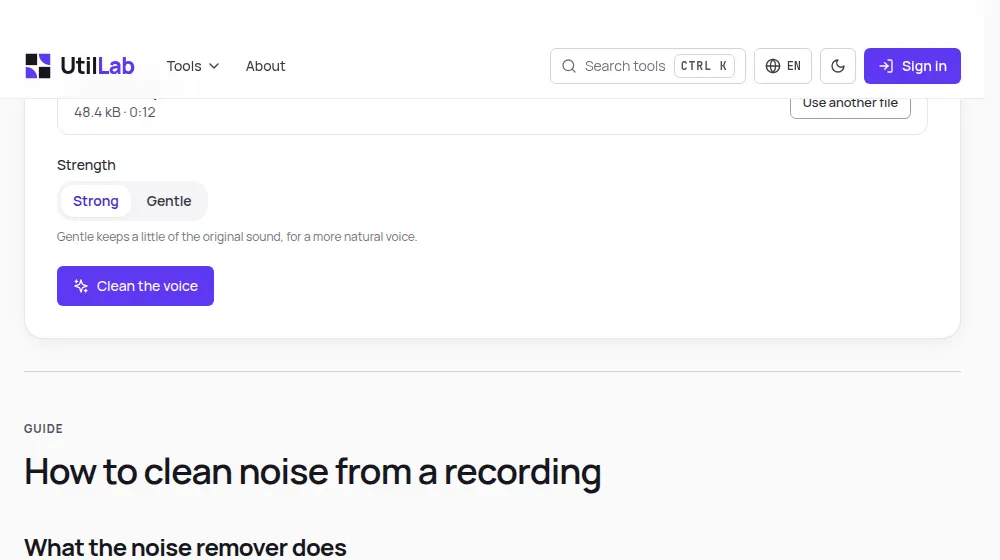
The background noise remover with a recording loaded, the strength choice and the original and cleaned sound ready to compare

Guide

How to clean noise from a recording

What the noise remover does

Most videos made for social media are recorded on a phone, wherever the idea came: in a car, in a kitchen with the fridge running, next to a fan or on a busy street. The voice is fine, but a constant noise sits under it, and viewers notice it before they notice what you say.

This tool separates the voice from that noise and keeps the voice. It works on videos and on audio files, and you can play the original and the cleaned version one after the other before you download.

How to use it

  1. Drop your video or audio file on the box above, or choose it from your device.
  2. Choose Strong to remove as much noise as possible, or Gentle to keep a little of the room.
  3. Press Clean the voice and follow the progress bar.
  4. Listen to the original and the cleaned sound to compare them.
  5. Download the new file: a video keeps its picture, a sound file comes back as M4A.

How it works

The cleaning is done by RNNoise, an open-source noise suppressor from the Xiph.Org Foundation. It looks at the sound in frames of 10 milliseconds and, for each band of frequencies, a small recurrent neural network estimates how much is voice and how much is noise, then lowers the noise. It was trained on many hours of speech mixed with real noise.

The sound is processed at 48 kHz, the rate RNNoise was built for, one channel at a time. In a video only the sound changes: the picture is copied into the new file untouched, which keeps its quality and makes the work fast.

What it handles well, and what it does not

  • Good: fans, air conditioning, fridges, computer hum, road and wind noise, microphone hiss.
  • Partly: keyboard clicks, dishes, sudden bangs, which are softened rather than removed.
  • Not for: music you want to keep, other people talking in the background, or echo in a large empty room.

Getting the best result

The less noise there is to begin with, the more natural the voice sounds after cleaning. Recording 20 to 30 centimetres from the phone and turning off the fan helps more than any software. When the cleaned voice sounds thin, use Gentle, which mixes a quarter of the original sound back in.

Everything happens in your browser, so the file is limited to what your device can hold: 500 MB and 15 minutes on a computer, 150 MB and 5 minutes on a phone.

Next steps for your video

A clean voice makes the rest of the editing easier. The silence remover finds pauses more reliably once the noise under them is gone, so clean first and cut second. If your clip is horizontal, the vertical video converter turns it into 9:16 for Reels, TikTok and Shorts.

Questions about removing noise

What kind of noise does it remove?
Steady sounds under a voice: the hum of a fan, air conditioner or fridge, traffic, wind, a computer, the hiss of a cheap microphone. These are the noises RNNoise was trained on. Sudden sounds such as a door or a dog barking are only softened.
Will it remove the music in my video?
It will try to, because it keeps only what sounds like speech. Use it on recordings where the voice matters and the rest is noise. For a video with music you want to keep, clean the voice before adding the music, or separate them first.
What is RNNoise?
An open-source noise suppressor from the Xiph.Org Foundation, the group behind the Opus codec. It combines classic signal processing with a small recurrent neural network trained on many hours of speech and noise, and it is light enough to run in real time in a browser.
Is my recording uploaded?
No. RNNoise runs inside this page, in your browser, and the new file is made on your device. Our server only records that the tool was used, never the file or anything in it.
What is the difference between Strong and Gentle?
Strong gives you only the cleaned voice. Gentle mixes a quarter of the original sound back in: the noise is clearly lower but not gone, and the voice keeps more of its natural tone. Try Gentle when Strong makes a voice sound thin or metallic.
Does it change the picture of my video?
No. The picture is copied into the new file exactly as it was, frame by frame, and only the sound is made again. That is also why a video is cleaned quickly: the slow part, encoding the picture, is skipped.
Which files can I use?
Videos such as MP4, MOV and WebM, and audio files such as MP3, M4A and WAV. A video comes back as a video with the same picture; a sound file comes back as M4A, or as Ogg in browsers that cannot write AAC.
Why does my voice sound different afterwards?
Removing noise also removes some of the sound that overlaps with it, especially very low and very high tones. On a recording with a lot of noise this is more audible. The Gentle setting, or recording a little closer to the microphone next time, keeps the voice fuller.

Last updated:

Was this page helpful?