Why vertical video
Reels, TikTok and Shorts fill a phone held upright, so they are made in 9:16. A horizontal video posted there appears as a thin strip in the middle of the screen, with large empty bands above and below, and it gets less attention than one made for the format.
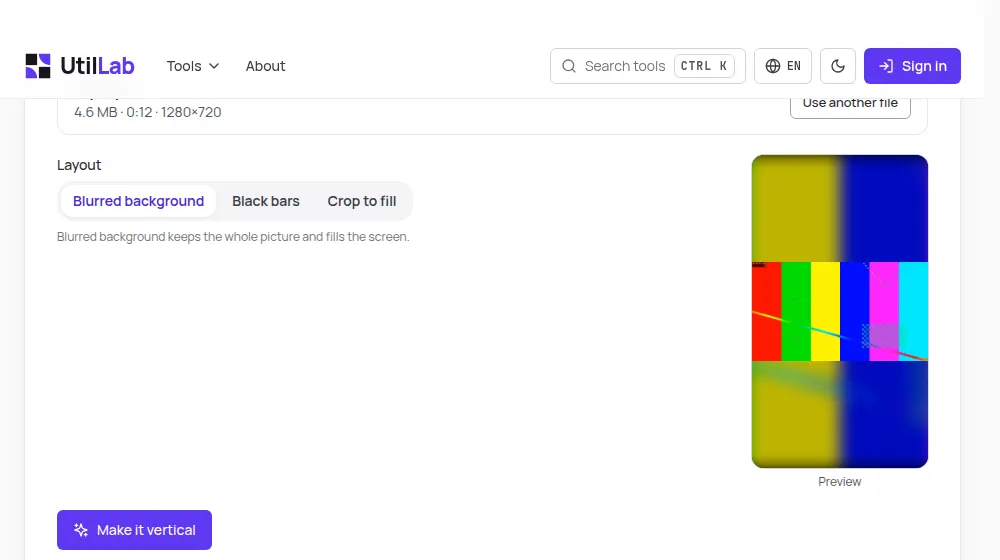
This tool places your horizontal video on a vertical 1080 × 1920 frame in one of three ways, shows a preview from your own video, and makes the new file in your browser.
How to use it
- Drop your video on the box above, or choose it from your device.
- Pick a layout: blurred background, black bars or crop to fill.
- If you crop, move the slider to keep the left, centre or right of the picture, and check the preview.
- Press Make it vertical and follow the progress bar.
- Watch the result and download the vertical video.
The three layouts
- Blurred background: the whole picture in the middle, over an enlarged, blurred and slightly darker copy of itself. Nothing is lost and the screen looks full.
- Black bars: the whole picture in the middle, on black, the most neutral choice.
- Crop to fill: the picture enlarged until it fills the screen, with the sides cut away. Best when the person or object stays in one part of the frame.
How the frame is made
For the two layouts that keep the whole picture, the video is scaled until its width fits 1080 pixels and centred, so a 16:9 video takes the middle 608 pixels of the height. The blurred background is the same video enlarged to cover the frame, softened and darkened by a quarter so the sharp picture stands out.
Every frame is drawn on the new canvas and encoded again at high quality; the sound is copied into the new file as it was, without being encoded again.
Limits to know
The crop position is the same for the whole video: the tool does not follow a person who moves across the frame. For that kind of video the blurred background is the safer choice. Text and graphics close to the edges of a horizontal video can end up outside the crop.
Because the work happens on your device, files are limited to 500 MB and 15 minutes on a computer and 150 MB and 5 minutes on a phone.
Make it ready to post
A vertical video holds attention better without pauses, so the silence remover is a good step before or after this one. If the voice has background noise, clean it with the background noise remover. To create a vertical video from nothing, the AI video maker writes, animates and narrates one from a single sentence.